
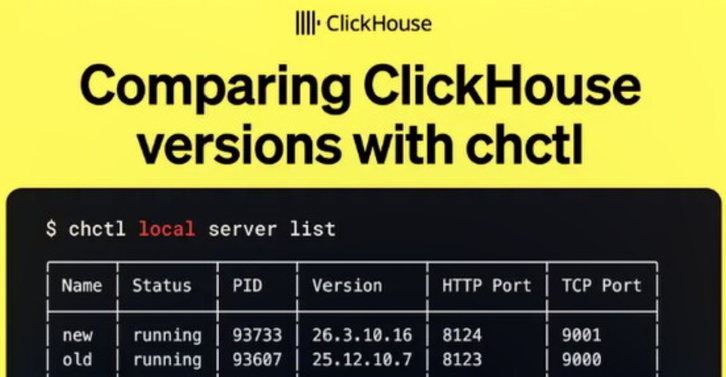
上个月,我们发布了 clickhousectl(https://clickhouse.com/blog/introducing-clickhousectl-official-cli-for-clickhouse-local-and-cloud),这是一个用于 ClickHouse 的命令行工具 (CLI),它能够管理本地安装、运行本地服务器以及操作 ClickHouse Cloud。
这对我而言非常令人兴奋,因为我和同事 Tom Schreiber 每月都会撰写 ClickHouse 发布文章,其中经常需要比较不同版本间的查询性能。在 clickhousectl 问世之前,我们为此要么需要借助 Docker,要么必须翻阅 GitHub 发布页面来寻找旧的二进制文件。
如今,我们只需使用 clickhousectl 即可。在这篇博客文章中,我们将探讨如何利用它比较不同版本间的查询性能,从而了解近期版本所带来的改进。
如果您只想查看查询性能对比,可以直接跳转至低基数列上的 DISTINCT 或 Parquet 元数据缓存部分。
安装 clickhousectl
但首先,我们需要在本地机器上安装 clickhousectl。我们可以通过以下命令来完成:
curl https://clickhouse.com/cli | sh您应该会看到类似以下的输出:
Detected platform: aarch64-apple-darwinFetching latest release...Latest release: v0.1.18Downloading https://github.com/ClickHouse/clickhousectl/releases/download/v0.1.18/clickhousectl-aarch64-apple-darwin...Installed clickhousectl to /Users/markhneedham/.local/bin/clickhousectlCreated alias: chctl -> clickhousectl现在,我们应该拥有 clickhousectl 和 chctl 命令。运行其中一个,您将看到以下输出(为简洁起见已截断):
The official CLI for ClickHouse: local and cloudUsage: chctl <COMMAND>Commands: local Work with local ClickHouse installations cloud Work with serverless ClickHouse in ClickHouse Cloud skills Install ClickHouse agent skills into supported coding agents update Update clickhousectl to the latest version help Print this message or the help of the given subcommand(s)Options: -h, --help Print help -V, --version Print version安装本地服务器
我们将在本地机器上安装两个 ClickHouse 版本:25.12 和 26.3。为了在本地执行操作,我们将使用 local 子命令。
我们可以通过运行此命令来下载一个 ClickHouse 版本:
chctl local install 26.3由于我实际上已经安装了此版本,因此会看到以下输出:
Resolving 26.3...ClickHouse 26.3 is already installed as 26.3.10.16Use --force to re-download the latest buildInstalled version 26.3.10.16如果我们使用输出中建议的 --force 标志,CLI 将下载 26.3 的最新构建:
Resolving 26.3...Downloading ClickHouse 26.3... [00:00:16] [###################################] 143.05 MiB/143.05 MiB (0s)Detecting version...Installed ClickHouse 26.3.10.30Installed version 26.3.10.30启动本地服务器
接下来,我们来探讨如何启动本地服务器。首先,我们启动一个运行 ClickHouse 25.12 的服务器:
chctl local server start --version 25.12 --name old我们实际上尚未安装此版本,但这没有关系——CLI 将自动为我们下载:
Resolving 25.12...Downloading ClickHouse 25.12... [00:00:13] [#####################################] 111.51 MiB/111.51 MiB (0s)Detecting version...Installed ClickHouse 25.12.10.7Server 'old' started in background (PID: 58145) HTTP port: 8123 TCP port: 9000 Version: 25.12.10.7此服务器使用默认的 HTTP 和 TCP 端口。
我们也可以启动一个运行 ClickHouse 26.3 的服务器:
chctl local server start --version 26.3 --name newResolving 26.3...Note: 1 server already running (use \`clickhousectl local server list\` to see them)Note: default ports in use, auto-assigned HTTP:8124 TCP:9001Server 'new' started in background (PID: 58406) HTTP port: 8124 TCP port: 9001 Version: 26.3.10.30这一次,CLI 识别到已有服务器正在运行,因此会使用不同的端口。
我们可以运行以下命令来检查当前正在运行的服务器:
chctl local server list╭──────┬─────────┬───────┬────────────┬───────────┬──────────╮│ Name │ Status │ PID │ Version │ HTTP Port │ TCP Port │├──────┼─────────┼───────┼────────────┼───────────┼──────────┤│ new │ running │ 58406 │ 26.3.10.30 │ 8124 │ 9001 ││ old │ running │ 58145 │ 25.12.10.7 │ 8123 │ 9000 │╰──────┴─────────┴───────┴────────────┴───────────┴──────────╯这显示了特定项目下运行的服务器。这意味着如果我们从不同的目录运行该命令,我们将看到以下输出:
No servers我们可以使用 --global 标志来显示本地机器上运行的所有服务器:
chctl local server list --global╭──────┬─────────┬───────┬────────────┬───────────┬──────────┬──────────────╮│ Name │ Status │ PID │ Version │ HTTP Port │ TCP Port │ Project │├──────┼─────────┼───────┼────────────┼───────────┼──────────┼──────────────┤│ old │ running │ 58145 │ 25.12.10.7 │ 8123 │ 9000 │ .../ch-test ││ new │ running │ 58406 │ 26.3.10.30 │ 8124 │ 9001 │ .../ch-test │╰──────┴─────────┴───────┴────────────┴───────────┴──────────┴──────────────╯将数据加载到 ClickHouse
现在我们的服务器已启动并运行,是时候加载一些数据了。我们将首先连接到 25.12 服务器:
chctl local client --name old -mn然后运行以下查询来创建 UK price paid 表:
CREATE OR REPLACE TABLE uk_price_paid( price UInt32, date Date, postcode1 LowCardinality(String), postcode2 LowCardinality(String), type Enum8('terraced' = 1, 'semi-detached' = 2, 'detached' = 3, 'flat' = 4, 'other' = 0), is_new UInt8, duration Enum8('freehold' = 1, 'leasehold' = 2, 'unknown' = 0), addr1 String, addr2 String, street LowCardinality(String), locality LowCardinality(String), town LowCardinality(String), district LowCardinality(String), county LowCardinality(String))ENGINE = MergeTreeORDER BY (date, postcode1, postcode2, addr1, addr2)SETTINGS add_minmax_index_for_numeric_columns=1, add_minmax_index_for_string_columns;为了简单起见,我已将这些数据处理为 Parquet 格式,并通过 HTTP 服务器在本地提供服务。我们可以这样导入它:
INSERT INTO uk_price_paid SELECT * FROM url('http://127.0.0.1:8000/uk_all.parquet');30452463 rows in set. Elapsed: 8.990 sec. Processed 30.45 million rows, 170.44 MB (3.39 million rows/s., 18.96 MB/s.)Peak memory usage: 2.00 GiB.3000 万行已导入!现在我们需要将相同的数据导入 26.3 服务器。
clickhousectl 的一个便捷功能是,它允许您完全通过 CLI 将表结构从一个本地服务器复制到另一个本地服务器,而无需触及任何文件。首先,从旧服务器获取创建表的语句:
chctl local client --name old \ --query "SHOW CREATE TABLE uk_price_paid" \ --output-format LineAsStringCREATE TABLE default.uk_price_paid(`price` UInt32, `date` Date, `postcode1` LowCardinality(String), `postcode2` LowCardinality(String), `type` Enum8('other' = 0, 'terraced' = 1, 'semi-detached' = 2, 'detached' = 3, 'flat' = 4), `is_new` UInt8, `duration` Enum8('unknown' = 0, 'freehold' = 1, 'leasehold' = 2), `addr1` String, `addr2` String, `street` LowCardinality(String), `locality` LowCardinality(String), `town` LowCardinality(String), `district` LowCardinality(String), `county` LowCardinality(String))ENGINE = MergeTreeORDER BY (date, postcode1, postcode2, addr1, addr2)SETTINGS index_granularity = 8192默认情况下,SHOW CREATE TABLE 会以带有标题和边框的表格形式返回其输出。
LineAsString 将结果的每一行视为一个普通字符串并按原样打印,不带任何修饰——只是原始 SQL。然后,我们可以在一个命令中将其直接导入 26.3 服务器:
chctl local client --name old \ --query "SHOW CREATE TABLE uk_price_paid" \ --output-format LineAsString |chctl local client --name new该表现在已存在于新服务器上。要复制数据,我们连接到 26.3 服务器并使用 remote 表函数直接从 25.12 服务器读取:
chctl local client --name new -mnINSERT INTO uk_price_paidSELECT * FROM remote('localhost:9000', 'default', 'uk_price_paid');30452463 rows in set. Elapsed: 15.169 sec. Processed 30.45 million rows, 1.33 GB (2.01 million rows/s., 87.96 MB/s.)Peak memory usage: 339.23 MiB.当您需要将数据从一个本地服务器复制到另一个时,这是一个很有用的模式。
低基数列上的 DISTINCT(26.1 版新增)
现在是时候测试 ClickHouse 26.1 中针对低基数列 DISTINCT 操作的性能改进了。以下是 Alexey 在 26.1 发布会上展示的幻灯片之一:
(https://presentations.clickhouse.com/2026-release-26.1/?full#16)
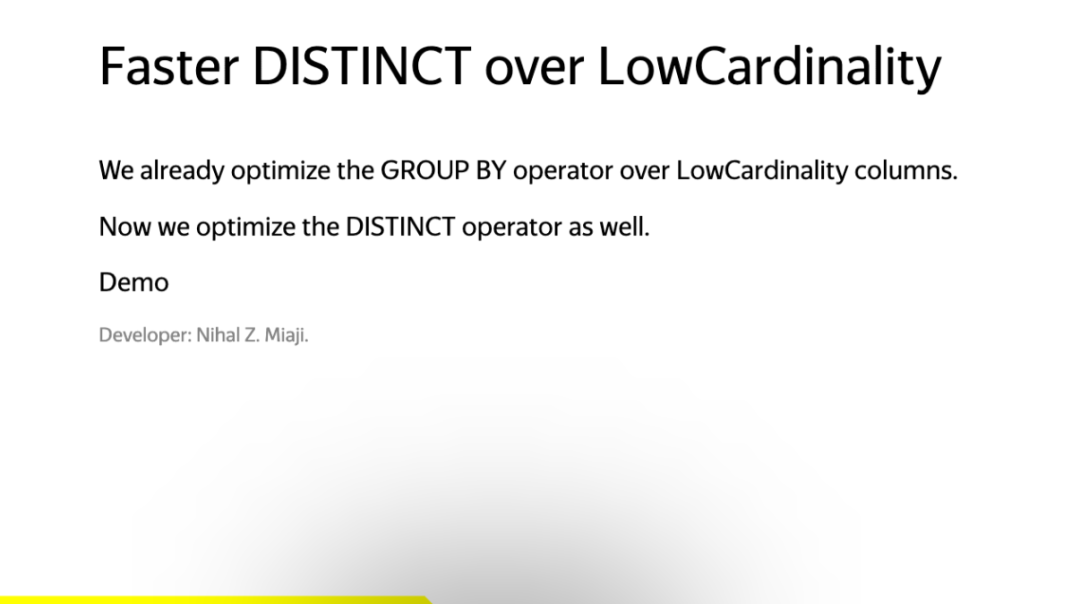
我们先在 25.12 上将该查询运行 5 次:
for i in {1..5}; do chctl local client \ --name old \ --query 'SELECT distinct(county) FROM uk_price_paid' \ --time \ -- --output-format Null; done0.0760.0820.0750.0740.073--time 参数会以秒为单位输出耗时,因此这里的最佳结果是 0.076 秒 (76ms)。
现在我们用同样的方法在 26.3 上运行:
for i in {1..5}; do chctl local client \ --name new \ --query 'SELECT distinct(county) FROM uk_price_paid' \ --time \ -- --output-format Null;done0.0150.0160.0140.0170.014这里的最佳时间是 0.014 秒 (14 毫秒),比 ClickHouse 25.12 快了五倍多。成功!
Parquet 元数据缓存(26.3 版本新增)
在上个月发布的 26.3 版本中,我们引入了一个元数据缓存,用于存储 Parquet 文件的页脚元数据(包括结构、行组布局、列统计信息),并以 ETag 作为键值,以确保数据一致性。
(https://presentations.clickhouse.com/2026-release-26.3/?full#31)
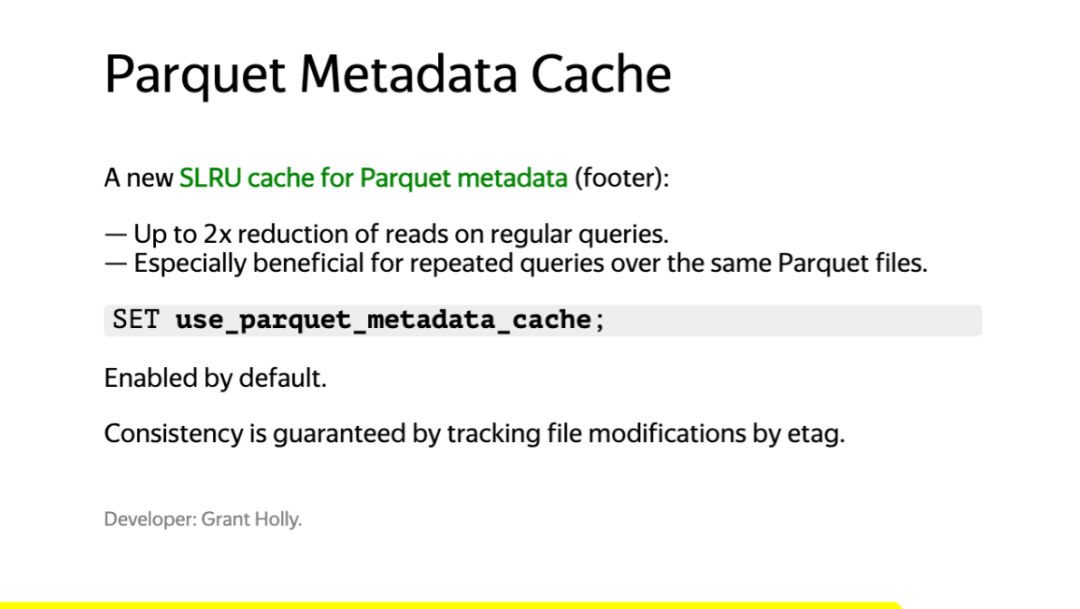
这对于在 S3 中对 Parquet 文件执行重复查询的场景将尤其有用。
我请 Claude Code 推荐一个包含 Parquet 文件的公共数据集,它建议使用 AWS public blockchain dataset。
我们将以下查询保存为 parquet.sql 文件。该查询将返回块编号介于 19500000 和 19501000 之间的行数和平均 gas 价格。
SELECT count(), avg(gas_price)FROM s3( 's3://aws-public-blockchain/v1.0/eth/transactions/date=2024-*/*.parquet', NOSIGN, Parquet)WHERE block_number BETWEEN 19500000 AND 19501000SETTINGS use_query_condition_cache=0;我们首先通过 --queries-file 标志传入文件名,对 ClickHouse 25.12 版本运行该查询五次:
for i in {1..5}; do chctl local client --name old --queries-file parquet.sql --time;done ┌─count()─┬────avg(gas_price)─┐1. │ 168399 │ 20033038997.74929 │ └─────────┴───────────────────┘11.480 ┌─count()─┬────avg(gas_price)─┐1. │ 168399 │ 20033038997.74929 │ └─────────┴───────────────────┘9.473 ┌─count()─┬────avg(gas_price)─┐1. │ 168399 │ 20033038997.74929 │ └─────────┴───────────────────┘9.102 ┌─count()─┬────avg(gas_price)─┐1. │ 168399 │ 20033038997.74929 │ └─────────┴───────────────────┘9.604 ┌─count()─┬────avg(gas_price)─┐1. │ 168399 │ 20033038997.74929 │ └─────────┴───────────────────┘8.957接下来,对 ClickHouse 26.3 版本运行相同的查询:
for i in {1..5}; do chctl local client --name new --queries-file parquet.sql --time;done ┌─count()─┬────avg(gas_price)─┐1. │ 168399 │ 20033038997.74929 │ └─────────┴───────────────────┘12.463 ┌─count()─┬────avg(gas_price)─┐1. │ 168399 │ 20033038997.74929 │ └─────────┴───────────────────┘2.224 ┌─count()─┬────avg(gas_price)─┐1. │ 168399 │ 20033038997.74929 │ └─────────┴───────────────────┘1.696 ┌─count()─┬────avg(gas_price)─┐1. │ 168399 │ 20033038997.74929 │ └─────────┴───────────────────┘1.639 ┌─count()─┬────avg(gas_price)─┐1. │ 168399 │ 20033038997.74929 │ └─────────┴───────────────────┘1.687首次运行在两个版本上都大约需要 11-12 秒。在 ClickHouse 25.12 上,后续运行大约需要 8-9 秒,这可能是由于文件系统缓存。
而在 26.3 版本中,我们看到后续运行的查询时间显著缩短至 1-2 秒左右,这比首次运行快了大约 5 倍。
检查 Parquet 元数据缓存
我们可以查询几个系统表,以详细了解 Parquet 元数据缓存。
首先,我们可以通过 system.server_settings 查询一些相关设置:
SELECT name, valueFROM system.server_settingsWHERE name ILIKE '%parquet_metadata_cache%'; ┌─name───────────────────────────────┬─value─────┐1. │ parquet_metadata_cache_policy │ SLRU │2. │ parquet_metadata_cache_size │ 536870912 │3. │ parquet_metadata_cache_max_entries │ 5000 │4. │ parquet_metadata_cache_size_ratio │ 0.5 │ └────────────────────────────────────┴───────────┘缓存大小为 512MB 或 5,000 个条目,以最先达到限制的为准。
我们还可以查询 system.metrics 来查看缓存中已存储了多少数据量:
SELECT name, valueFROM system.metricsWHERE name ILIKE '%parquet%metadata%'; ┌─name──────────────────────┬────value─┐1. │ ParquetMetadataCacheBytes │ 46067740 │2. │ ParquetMetadataCacheFiles │ 366 │ └───────────────────────────┴──────────┘我们已经为 366 个文件缓存了元数据,总共占用了 46MB 的空间。
结论
在本文中,我们探讨了 clickhousectl 如何简化了并行部署多个 ClickHouse 版本并对比它们查询性能的过程。
我们展示了最近版本中推出的两项改进:
针对低基数列上的 DISTINCT 查询实现了 5 倍的加速(26.1 版本引入);
一个 Parquet 元数据缓存(26.3 版本引入),能够将重复 S3 查询时间从约 9 秒缩短至 1-2 秒左右。
如果您想亲自尝试,请使用以下命令安装 clickhousectl:
curl https://clickhouse.com/cli | sh此外,请查阅 clickhousectl 文档,了解其更多功能
(https://clickhouse.com/docs/interfaces/cli)。
/END/
征稿启示
面向社区长期正文,文章内容包括但不限于关于 ClickHouse 的技术研究、项目实践和创新做法等。建议行文风格干货输出 &图文并茂。质量合格的文章将会发布在本公众号,优秀者也有机会推荐到 ClickHouse 官网。请将文章稿件的 WORD 版本发邮件至:Tracy.Wang@clickhouse.com。